Old Photo Restoration
Restore Old Photos with AI
Bring softer, faded family pictures back to clearer life. This old photo restoration AI workflow enhances detail so scanned prints and older digital photos are easier to share and archive.
Uses the Phota Enhance model (fal-ai/phota/enhance) for photo and face enhancement. For very small scans, follow up with the AuraSR image upscaler. Honest restoration improves clarity—it does not invent missing people or perfect every tear.
How to restore old photos online
Fix old photos with AI in three steps—upload a scan or digital archive file, enhance, and download.
What old photo restoration AI can—and cannot—do
Searches for restore old photos, old photo restoration AI, and fix old photos cover a wide range of damage: fading, softness, scratches, stains, and tiny scans. ImgEnhancer helps most with softness, facial clarity, and general quality on photos that are still readable. The primary CTA on this page runs the real enhance flow (Phota Enhance). If the scan is extremely small, continue with the image upscaler to increase resolution. Deep structural repair—filling large missing corners, removing complex stains, or recoloring black-and-white scenes with perfect historical accuracy—may need specialized editors or manual work. We state that clearly so expectations stay honest: AI can make many family photos clearer and more shareable; it is not a museum-grade guarantee for every print.
Common old photo restoration uses
Best when the scan still shows people or places clearly enough to enhance.
Family album scans
Memorial and tribute slides
Genealogy projects
School and team reunions
Marketplace vintage listings
Personal archive cleanup
See old photo restoration before and after
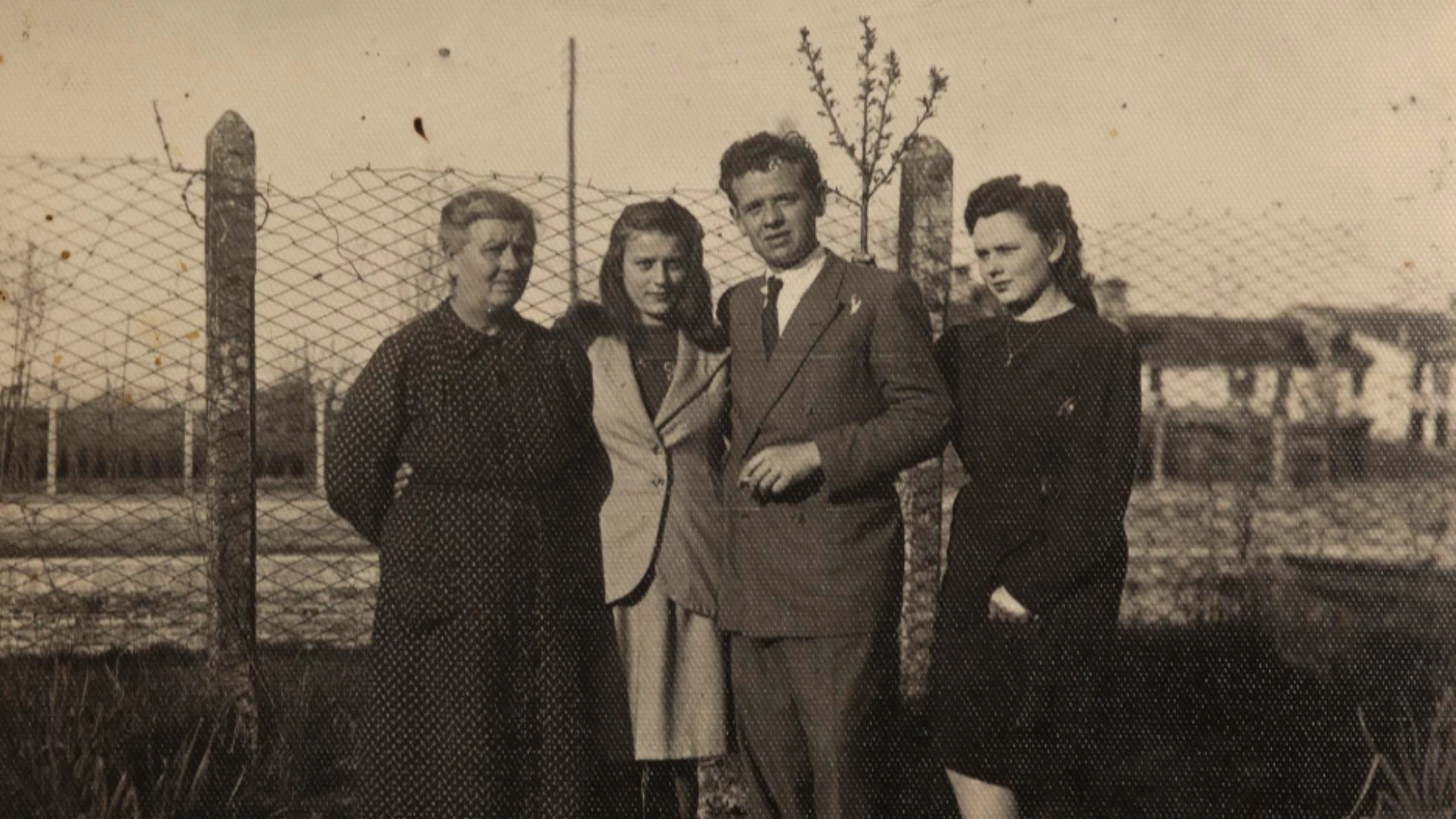
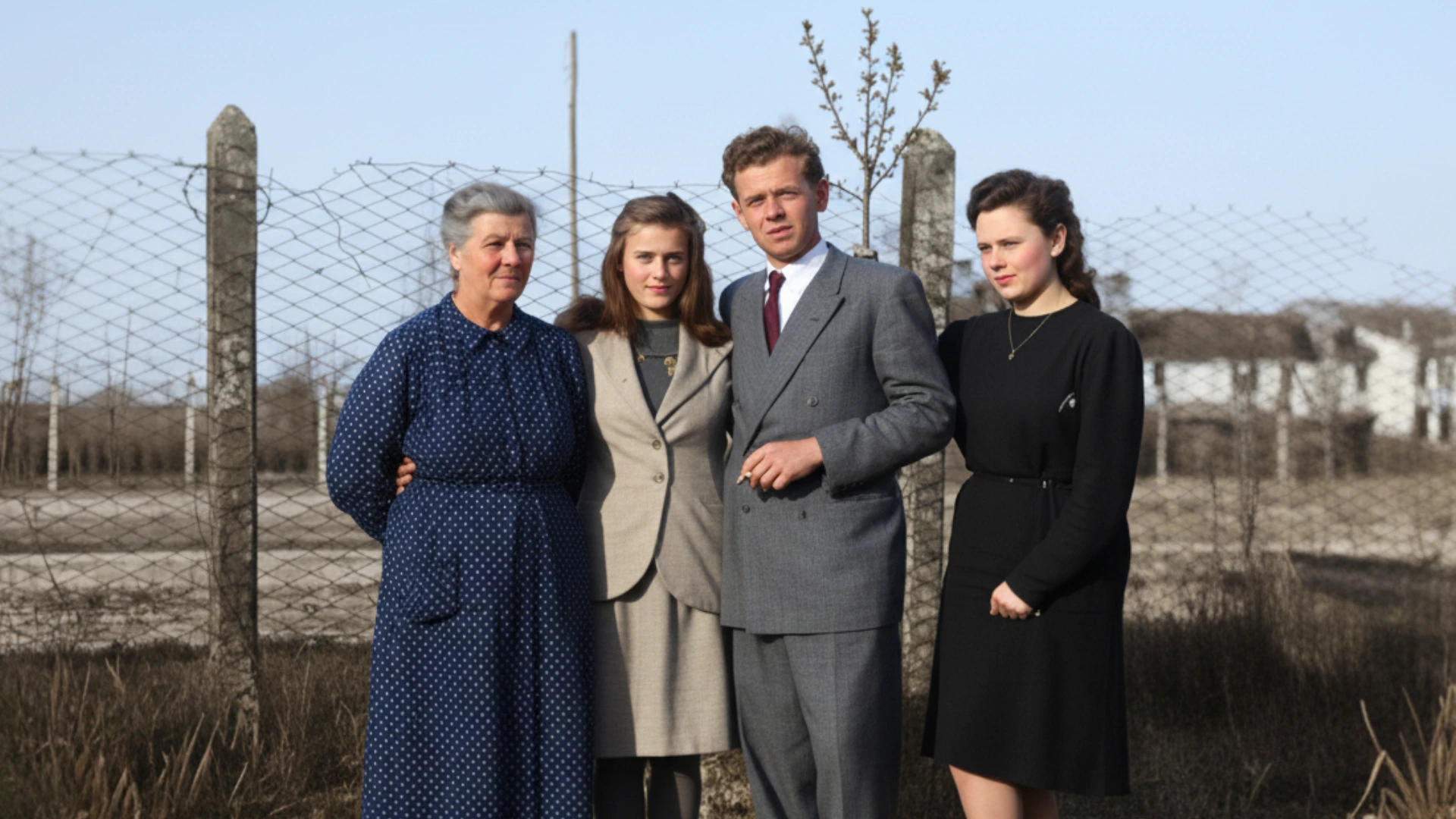
Old photo
Restore old photos, faded family pictures, and low-quality scanned images with clearer texture and stronger detail. The goal is to improve the photo while preserving the original look and memory. Use the slider to compare the original image with the enhanced result and see how clarity, edges, and detail improve without making the image look artificial.
Restoration path compared
Combine enhance, upscale, and unblur depending on what the old photo needs.
Choose your next step
Start with restoration enhance, then add resolution or deblur if needed.
Tips to restore old photos more successfully
Better scans lead to better AI old photo restoration results.
Careful with family keepsakes
Process privately online—restored downloads are for you, not a public gallery.
Supported formats
Why restore old photos with ImgEnhancer?
A practical AI path to clearer family photos using real enhance and upscale tools.
Old photo restoration FAQ
Practical answers about restoring old photos with AI and what to expect.
Learn more in the AI image enhancer guide Then continue with related tools: Open the AI image enhancer or continue with the AI photo enhancer, AI face enhancer, AI image upscaler when faces need a closer pass, or you need more resolution after restoration.